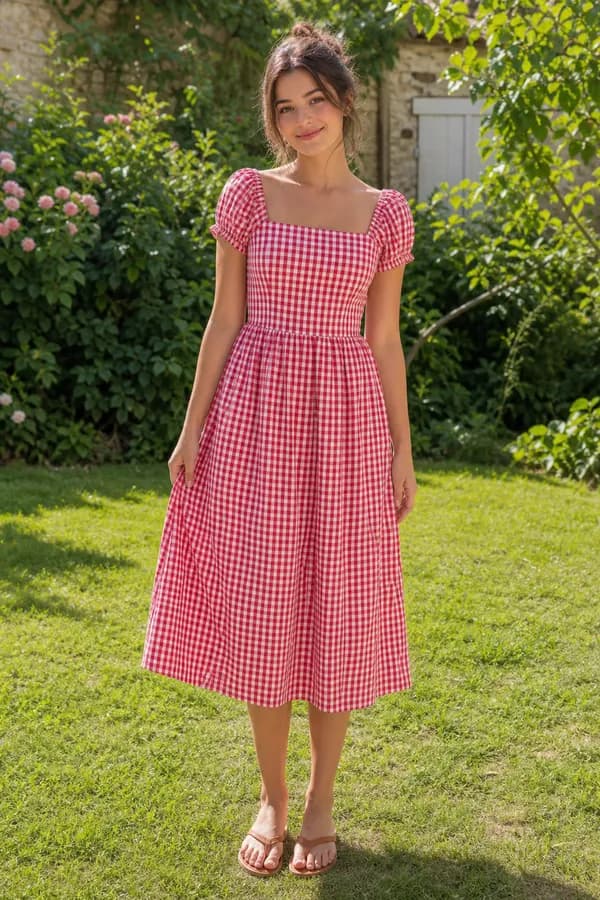
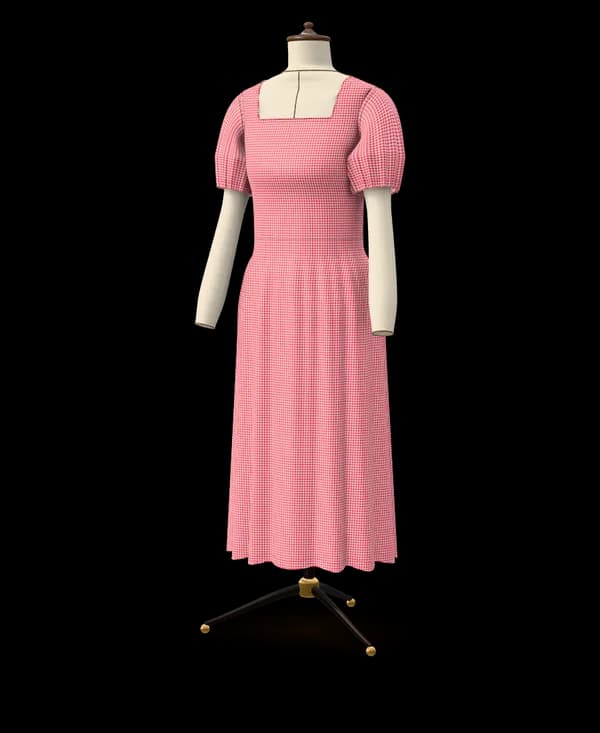
From this photoA gingham midi dress with a square neckline and puff sleeves
Tested model · every plan7 pattern pieces
Upload a photo or a screenshot of a garment you love. Ourlette recognizes it, drafts the pattern to your measurements or a standard size, and gives you a step-by-step sewing guide.
Drafting the exact piece from a picture or words is on Maker and Atelier; for free, Ourlette suggests the closest of 36 tested models. Your pictures stay private and are only used to make your pattern.
Upload a photo, paste a screenshot, or paste the link of a public Pinterest pin, Instagram post or shop page. If the picture shows several garments, say which one you want. No picture at hand? Describe the garment in words, such as a midi wrap skirt in linen with a flared hem.
Ourlette names the garment it recognized and the options it chose: length, neckline, sleeves, fullness, closure and pockets. Change any of them by hand, for free, or ask for a change in words. The pattern redraws as soon as you change something.
Enter your height, bust, waist and hip to start, or pick a standard size: women EU 32–54 (US 0–22, UK 4–26), men XS–3XL or children 2–14 years. The measuring assistant explains each measurement, and the others come from the nearest size until you refine them.
Look at the garment in 3D, then print the pattern at true scale and check the test square. Follow the step-by-step guide written for your pattern, with its pieces list, notions and cutting layout, and ask it questions whenever a step is unclear.
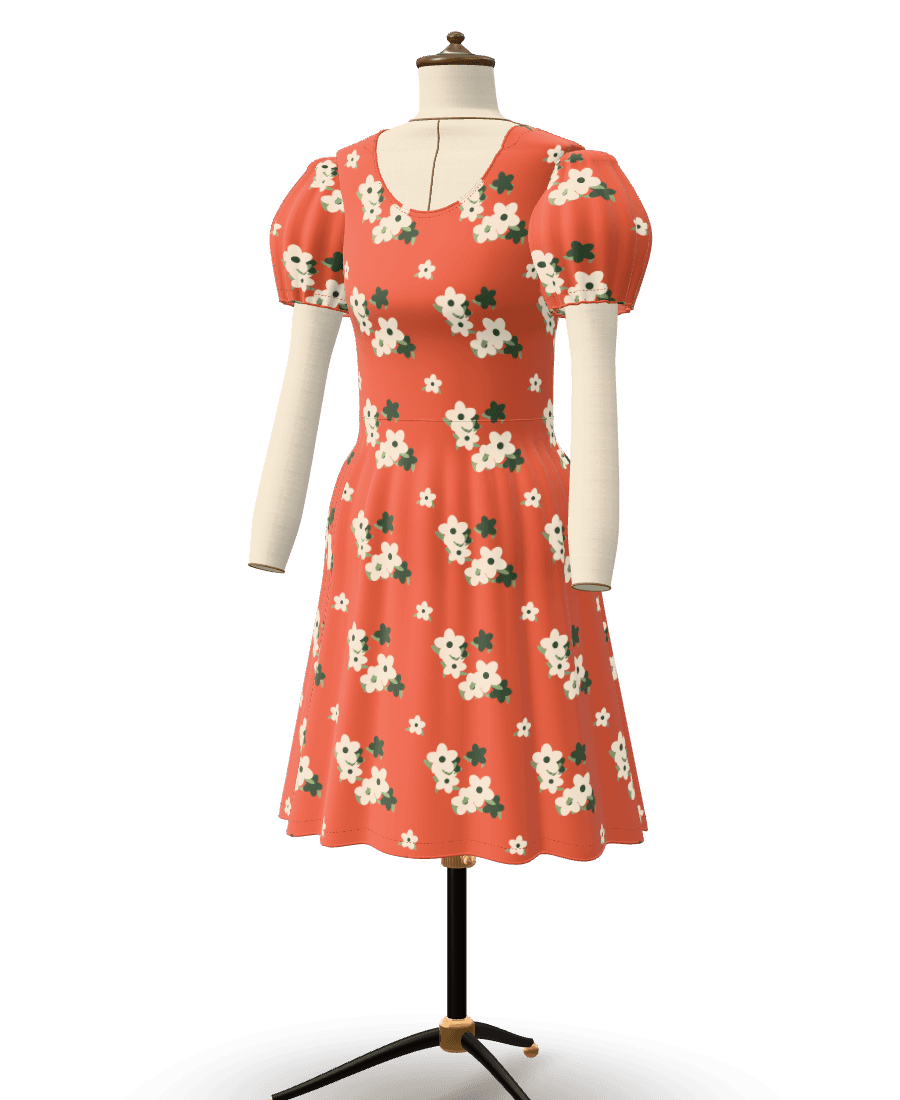
Results from Ourlette's own pipeline, not retouched: what was asked, the piece on the dress form and the pattern pieces drafted for it.
From this photoA gingham midi dress with a square neckline and puff sleeves

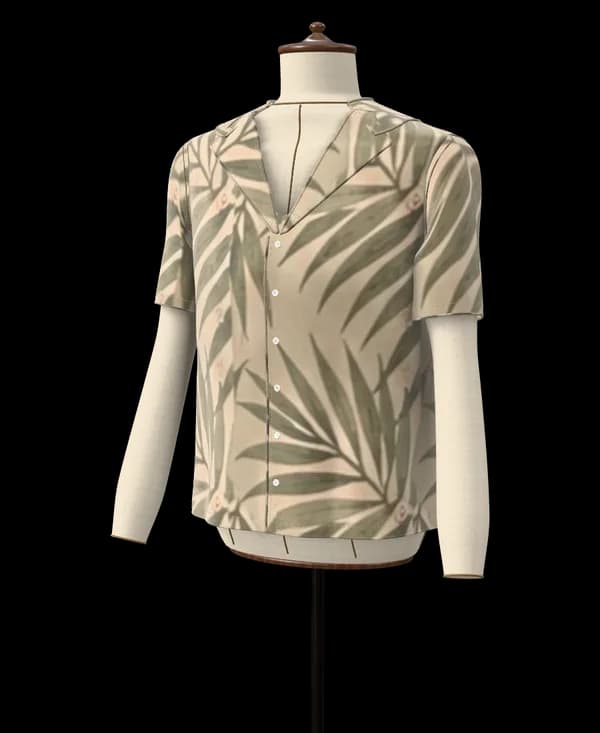
From this photoA short-sleeved camp-collar shirt in a palm-leaf print
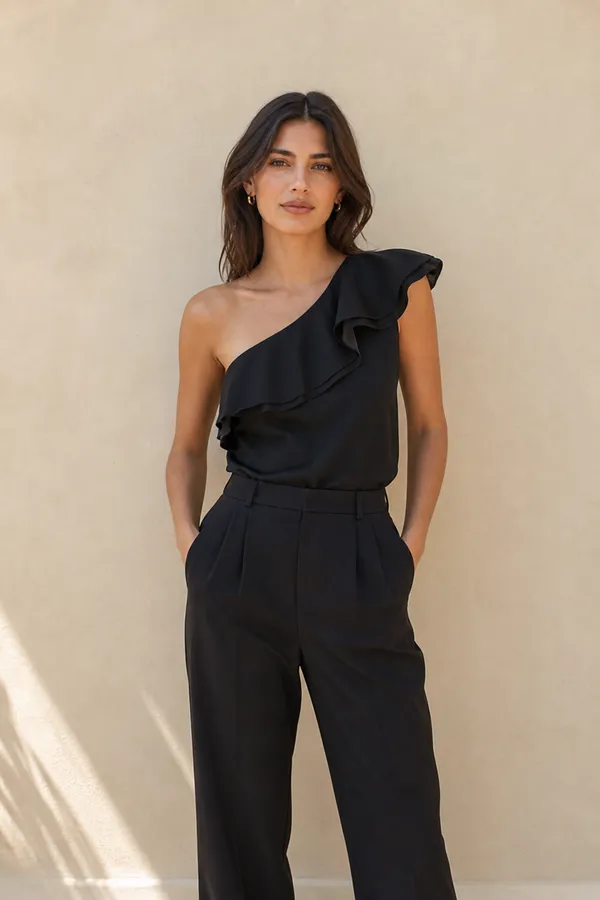
From this photoA one-shoulder silk top with a ruffle along the neckline
Drafted for a standard size (EU 38, or the nearest children's size). Yours is drafted to your own measurements. The photos are example pictures made for this page; the patterns are what Ourlette drafted from them, unedited.
Yes. Upload a photo or a screenshot, or paste a link to a public Pinterest pin, Instagram post or shop page, and Ourlette's AI recognizes the garment: its type, silhouette, length, neckline, sleeves, fullness, closure and pockets, along with the colors and print of the fabric. When it matches one of Ourlette's 36 catalogue garments, Ourlette uses it and sets its options to match. Anything else is drafted piece by piece by Ourlette's AI pattern maker on the Maker plan (3 a month) and the Atelier plan; on the Free plan, Ourlette suggests the closest tested models and Community patterns to start from for free.
What you get is a real pattern, with every piece drawn to scale and seam allowances included, not a sketch or a list of instructions. No picture? Describe the garment in words instead.

The AI only reads the picture. The pattern itself is drawn by Ourlette's drafting engine, from flat-pattern blocks, with your measurements and the right ease for the garment. Same inputs, same pattern, every time.
Once the pattern exists, changing a measurement or an option (length, neckline, sleeves, fit) redraws it instantly without any AI, and those changes are free and unlimited. Our post on how Ourlette drafts a pattern explains the blocks and the ease in detail.
The clearer the garment, the closer the match. A few habits help:
Our screenshot tips go further, with examples of what the AI can and cannot see.
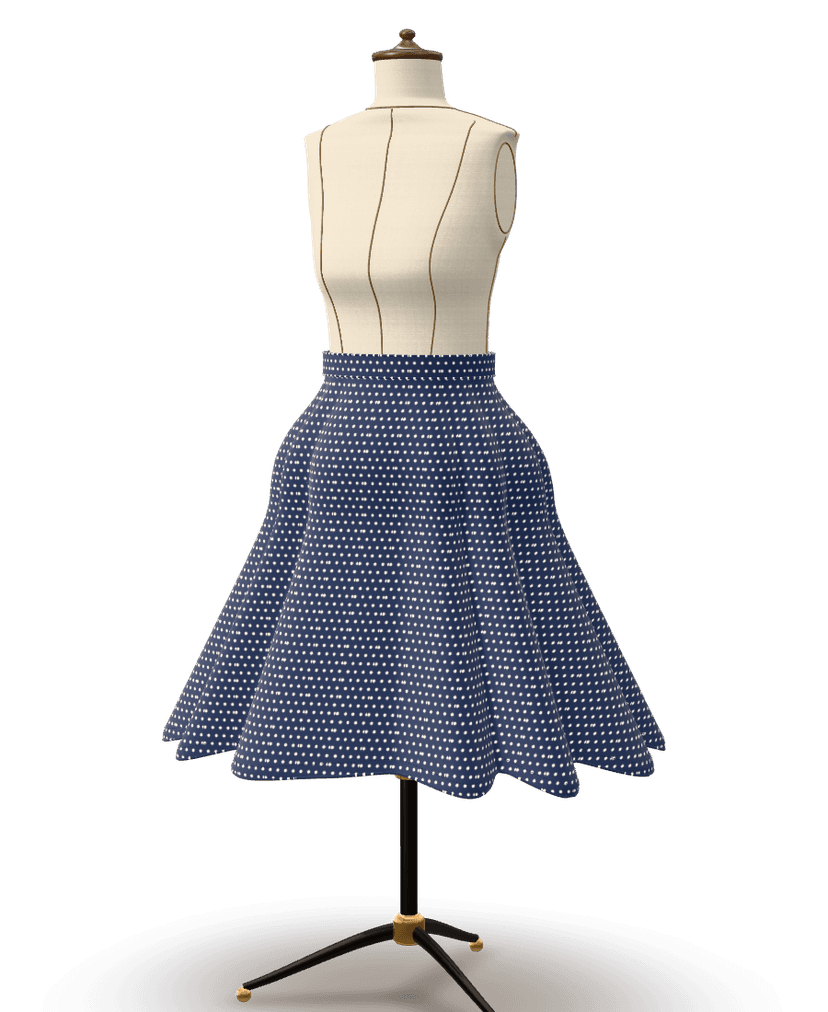
Before you print, the garment appears in 3D on a mannequin built from your measurements, in a plain color or with the print taken from your picture. Turn it around, change the length or the sleeves and watch the proportions update.
It is a preview of the silhouette and proportions, not a simulation of how your exact fabric will drape. But it shows early whether a midi or a knee length suits the look you are after, before any fabric is cut.
Ourlette has a catalogue of 36 garment types with tested drafting: skirts, dresses, tops and shirts, sweatshirts, trousers, jeans and shorts, jackets and coats, bags, a bucket hat and home pieces, each with its own options. When your photo shows one of them, or something close, Ourlette picks the nearest garment and its options, and the pattern is ready in about a minute.
Anything else, from a jumpsuit or a blazer with notched lapels to swimwear or a backpack, is drafted piece by piece by Ourlette's AI pattern maker on the Maker plan (3 a month) and the Atelier plan, in 4 to 8 minutes; on the Free plan, Ourlette suggests the closest tested models and Community patterns to start from instead. These are new designs, not yet sewn on real bodies, so make a toile first; structured tailoring, underwired bras and boned corsetry may need adjusting by hand. Browse all the patterns to see the catalogue.
Making patterns is free: from your photo, Ourlette suggests the closest tested models and Community patterns to start from, with 2 small AI changes per pattern, 6 AI messages a month and unlimited changes by hand, plus the 3D preview and the sewing guide on screen. Six easy models (tote bag, drawstring bag, scrunchie, headband, cushion cover and apron) even print for free.
To print everything else, the Maker plan ($7.99 a month or $59 a year) gives a true-scale PDF on A4, US Letter, A3, Tabloid, A0 or 36 × 48 in paper, or a projector file, plus the sewing guide as a PDF with cutting layouts and fabric quantities, and drafts the exact piece you saw 3 times a month, in 4 to 8 minutes, then opens the closest catalogue garment (30 AI patterns a month in all). The Atelier plan ($19.99 a month or $149 a year) has 12 AI credits a month (each one a new design or a big change). See the printing options.
Not the exact piece: on the free plan, your photo suggests the closest tested models and Community patterns to start from, with 2 small AI changes per pattern, 6 AI messages a month, unlimited changes by hand, the 3D preview and the sewing guide on screen. Printing needs a Maker plan ($7.99 a month or $59 a year), apart from 6 easy models that print for free; Maker also drafts the exact piece in your photo, 3 times a month. The Atelier plan ($19.99 a month or $149 a year) has 12 AI credits a month (each one a new design or a big change).
It will be a pattern for what the AI sees: a catalogue garment with matching options (length, neckline, sleeves, fullness and so on), or, on the Maker and Atelier plans, a new design drafted by Ourlette's AI pattern maker when nothing in the catalogue fits. Unusual details, such as an asymmetric seam or a particular trim, may be simplified, and you can adjust the options or ask for changes to get closer.
No. The photo is used to recognize the garment, not to measure you. You take your measurements with a tape, and the measuring assistant explains each one and checks the numbers for likely mistakes.
Yes. Screenshots work the same way as photos. Crop to the garment and choose a frame where it is fully visible and sharp.
On the Maker plan (3 a month) and the Atelier plan, Ourlette's AI pattern maker drafts it piece by piece from your measurements, for example a tailored blazer or a swimsuit, in 4 to 8 minutes. It is a new pattern that has not been sewn on real bodies yet, so make a toile first; very structured tailoring may need adjusting by hand. On the Free plan, Ourlette suggests the closest tested models and Community patterns to start from for free.
Bring the picture. Ourlette brings the pattern.
Drafting the exact piece from a picture or words is on Maker and Atelier; for free, Ourlette suggests the closest of 36 tested models. Your pictures stay private and are only used to make your pattern.

